
For the last few weeks, I have been redesigning and migrating my personal website annjose.com (where you are reading this now) to a new blog engine. It started as a simple migration, but then (surprise, surprise!) ballooned into a big project with redesign, redeployment, content cleanup, comments migration, and adding modern features that were missing. My favorite part - this turned out to be a real-world agentic coding project.
Like most projects, 80% of the work finished in a week (thank you Claude, Codex and OpenCode), and the remaining 20% of the work took 4 weeks.
And now, finally, it is done. The new annjose.com is shipped! 🎉🚀
I learned a lot doing this migration, so I am writing this post to share my learnings - why I did it, what actually changed, how I used AI coding agents, what was harder than expected, and a few before/after pictures for fun.
If you want the full detailed log, I documented the journey at Rebuilding this site, with AI agents.
The Why
My original website was built 11 years ago using the Hugo blog engine built on Go and the Blackburn theme. It was a great starter theme and worked well for the time, but was not maintained and became dated with a 2018 vibe.
Over the years, I added a ton of customizations on that template, added pages and custom shortcodes. It was going fine, but it was slowly getting messier inside. So I wanted to clean it all up, make it prettier and easy to maintain by moving to a modern framework like Astro - simple, developer-friendly and built on my favorite tech stack of TypeScript and Tailwind.
I had tried to migrate the site in 2023 with a plan to do it in two steps: first move to a modern Hugo template, then move to Astro. I made a prototype too, but couldn’t complete the work - life happens, you see.
That’s when I started using AI coding agents for my other projects and saw the shift happening in real time. I was able to do more things faster than ever before. It motivated me to revive the stalled migration project and I got to work in early March.
My Goal
I had three goals in mind:
- Migrate - Move the blog from Hugo to Astro, preserve existing content, and move hosting from GitHub Pages to Cloudflare Pages.
- Redesign - Refresh the design with a modern template, better typography, a Raspberry color palette, view transitions, and mobile optimizations.
- Modernize - Add features the old site did not have: dark mode, full-text search, a better commenting system, automatically generated OG images and a floating Table of Contents.
What Actually Changed
The migration meant preserving eleven years of URLs, images, comments, tags, and old Hugo conventions while replacing the engine underneath. The visible redesign was the easy part. The invisible work - to make sure old links, old posts, old comments still worked - that was hard.
Some of the concrete work:
- Migrated 58 blog posts, including page bundles and single-file Markdown posts
- Converted frontmatter from Hugo TOML to Astro YAML
- Merged Hugo
topicsinto canonical lowercasetags, with cleaner display labels - Converted Hugo shortcodes for tables, figures, videos, code highlights, and image groups
- Preserved old URL patterns with Cloudflare redirects:
/post/*to/blog/*,/topics/*to/tags/*, and/index.xmlto/rss.xml. - Preserved old Disqus comments as static archived comments and added Giscus for new comments.
- Added Pagefind search, responsive image handling, generated Open Graph images, MathJax SVG rendering, and a floating table of contents (this was at the top of my wishlist!)
- Reworked the homepage, about page, tags page, archives page, post layout, and mobile navigation.
The How
I used multiple AI coding agents throughout the project: Claude, Codex, Open Code and the cute little Pi. They helped with planning, implementation, debugging, content migration, visual polish, page redirects, OG image generation, and so many tasks.
The agents wrote most of the code, especially the mundane parts: transforming content, writing validation scripts, moving files, updating references, and making repeated small UI adjustments. They did things that I wasn’t aware of - for example, setting up the site in Google Search Console.
But I did the parts that mattered. I decided what was worth building, how to steer the agent with taste and intent, when an agent was solving the wrong problem, and keeping the work grounded in reality. I did several iterations on the design, theme, and content before I was happy with the result.
Yes, this slowed me down. I am glad it did. The friction is a feature, not a bug. It is what makes the final product actually meet your standards and worth anyone’s attention.
This was the real lesson for me - AI agents made the project faster, but I had to stay vigilant and steer it in the right direction. I decided to move fast in dev, then go slow and steady to prod.
The Timeline
I started the redesign on March 11, 2026. The first few days went fast. I spent a lot of time writing the spec, refining it and making a detailed plan - all with the help of agents. Here is my spec file and the plan file.
I picked an Astro template AstroPaper, scaffolded the Astro project, and got the first Cloudflare Pages deploy working by March 13. CI/CD FTW!
March 14 was the big migration day. The migration script moved all 58 posts from Hugo into Astro, converted front matter, copied images, handled Hugo shortcodes, and renamed the URL structure from /posts/ to /blog/. The agents did the heavy lifting here while I reviewed the code and output, and made sure that the plan is kept in sync with the progress. I would constantly hit the 5-hour rate limit on Claude, then switch to Codex, then Open Code. It was crazy, but fun!
By March 20-21, the core blog features were in place: the floating table of contents, tag cloud, comments, the About page, and the redesign page itself. By March 30, the support infrastructure had mostly caught up too - sample post, local tests, CI cleanup and new CI.
Then there was a gap. I was participating in a couple of hackathons and preparing for a few sessions - AI training at the local library and an AI workshop at a company. When I came back, I had to reload the ‘context’ of the project into my own head - the specs, plans and notes helped a lot here.
The final stretch happened mostly from late April into early May. That was the slow polish phase: layout consistency, theme exploration, OG image refinement, mobile optimizations, and the small visual bugs that only show up when you keep looking at the real site.
What Was Harder Than Expected
The last mile of polish, correctness, and integration details took a long time. That’s the thing:
Agents are great at making changes fast. They are not great at deciding when a page finally feels right. This is where the human part mattered most.
Some bugs only showed up in the production build. Some warnings stayed around because of cache. A few integrations worked on first load, then broke when navigating between pages.
Giscus was easier than expected to set up, but Astro View Transitions made it more interesting. A static script tag worked on first page load, then disappeared during client-side navigation. The fix was to recreate the Giscus script on every astro:page-load.
The final visual polish took the longest. Nothing was broken exactly, but many things were not quite right: UI elements on the blog page did not line up, dark-mode contrast felt off, the header bar was offset and so on. That part was slow, but it was time well spent.
Final Polish
My first working version had a warm/brick palette, and I didn’t like it because it gave me the same AI-generated UI vibe I was seeing everywhere, especially in Anthropic sites and tools. Here is an old screenshot. I did not want that for my personal site.
So I tried various options. I asked the agent for different palettes, moved the best ones into the site, and compared them on real pages instead of abstract swatches. After many iterations, I landed on a custom palette called Raspberry. It felt more personal, less cookie-cutter, and it worked with my content in both light and dark mode. I enjoyed this phase because I love tweaking and tinkering with this stuff.
The rest of the final polish was similar: OG image templates, tag taxonomy cleanup, tag chips, accessibility fixes, and layout details. These are the kinds of details that are hard to delegate to an agent and the most time-consuming. But they are exactly what make a redesign feel done and beautiful to me.
The Results
The new site is built with Astro 5, Tailwind CSS, and the AstroPaper theme, and it deploys to Cloudflare Pages.
A side-by-side feature list of the old and the new:
| Feature | Hugo (before) | Astro (after) |
|---|---|---|
| Engine | Hugo | Astro 5 |
| Theme | Blackburn | AstroPaper, customized |
| Styling | Theme CSS | Tailwind CSS |
| Hosting | GitHub Pages | Cloudflare Pages |
| Color palette | Hugo theme defaults | Raspberry palette with dark mode |
| Dark mode | No | Yes |
| Search | No | Yes, Pagefind |
| Tags page | Basic | Tag cloud with counts and display labels |
| Comments | Disqus | Archived Disqus + Giscus |
| OG images | Single static image | Per-post generated images |
| Table of contents | No | Desktop sidebar + mobile dropdown |
| RSS | Hugo /index.xml | Astro /rss.xml, old URL redirected |
Before And After
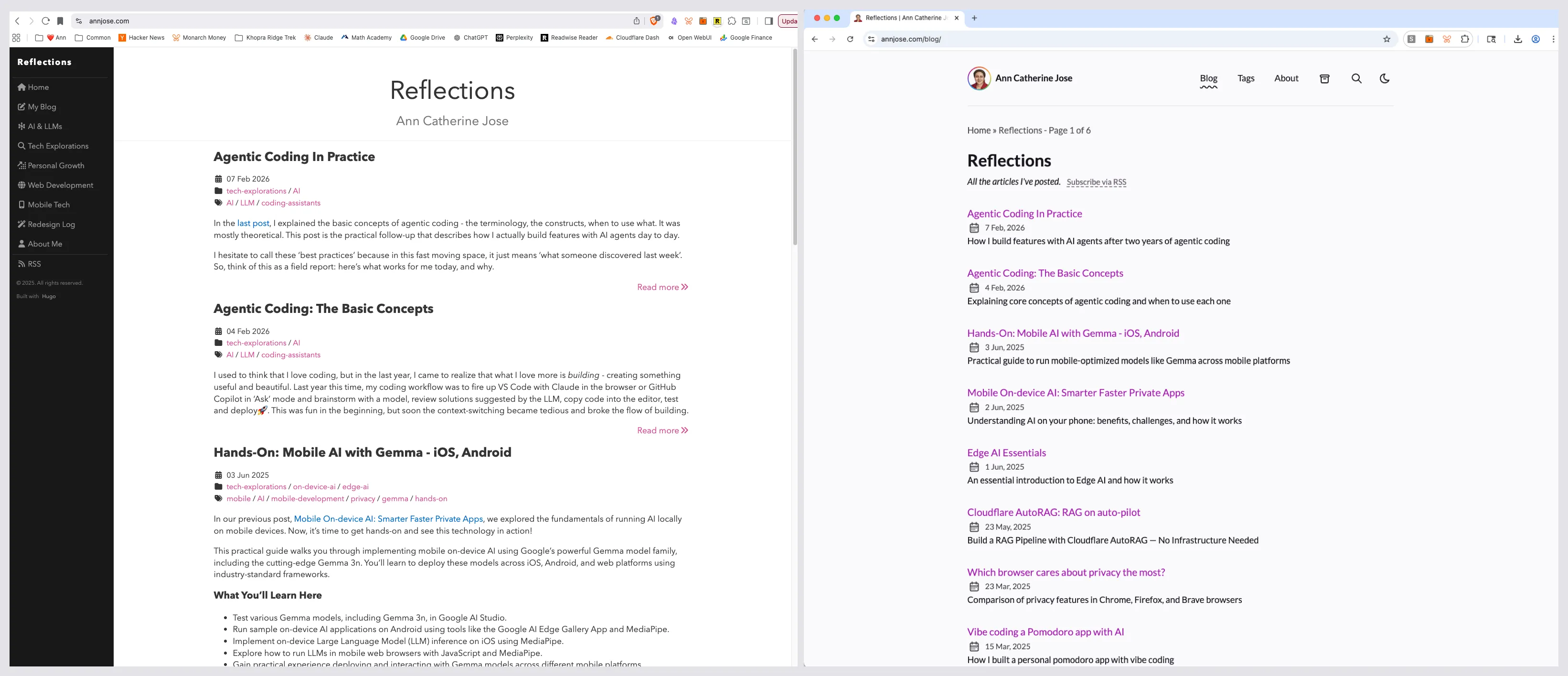
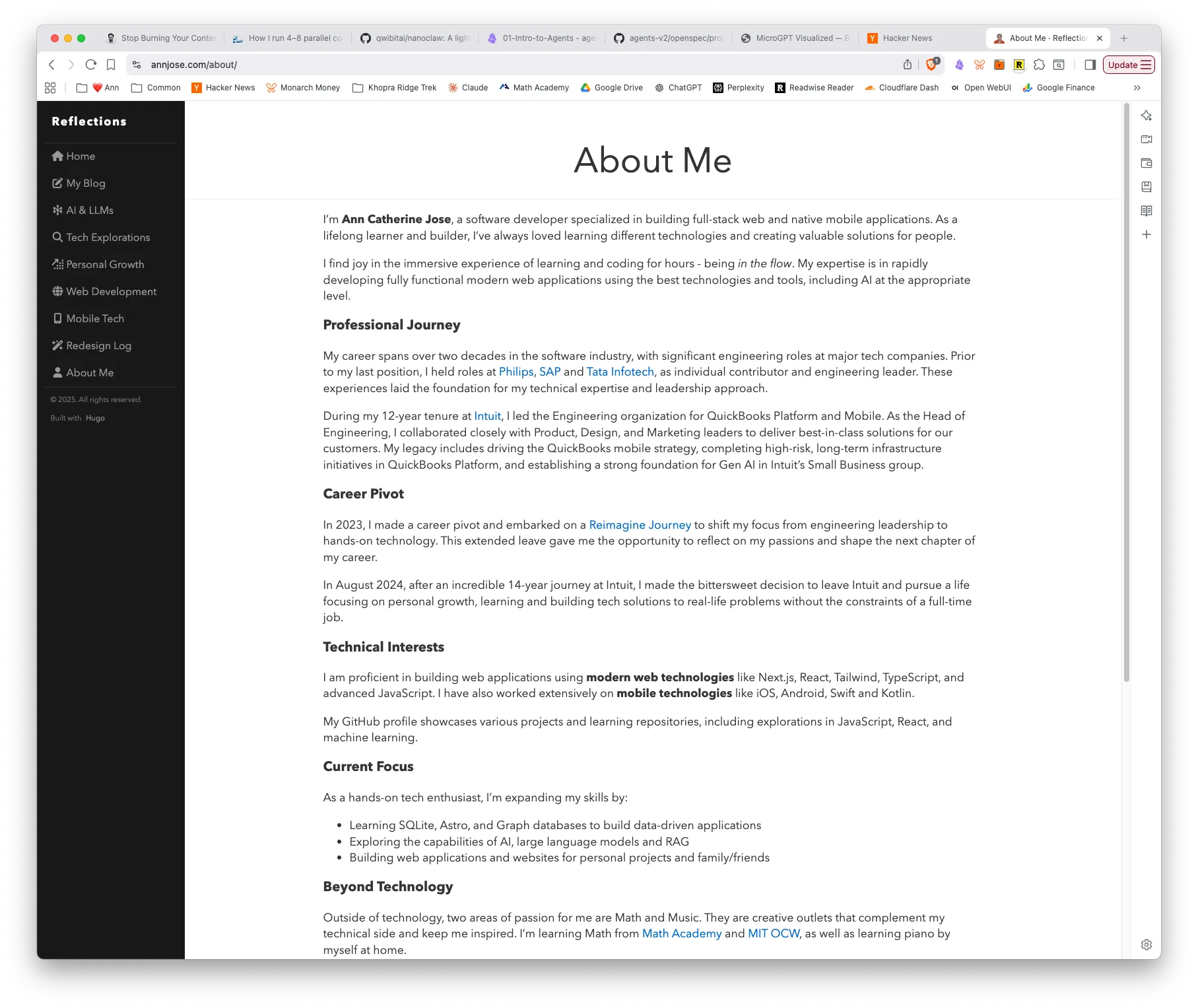
The old site was built with Hugo and Blackburn. It was functional, but it looked and felt dated. The new site keeps the same writing archive but gives it a cleaner structure, better navigation, and a modern visual system.
Home page
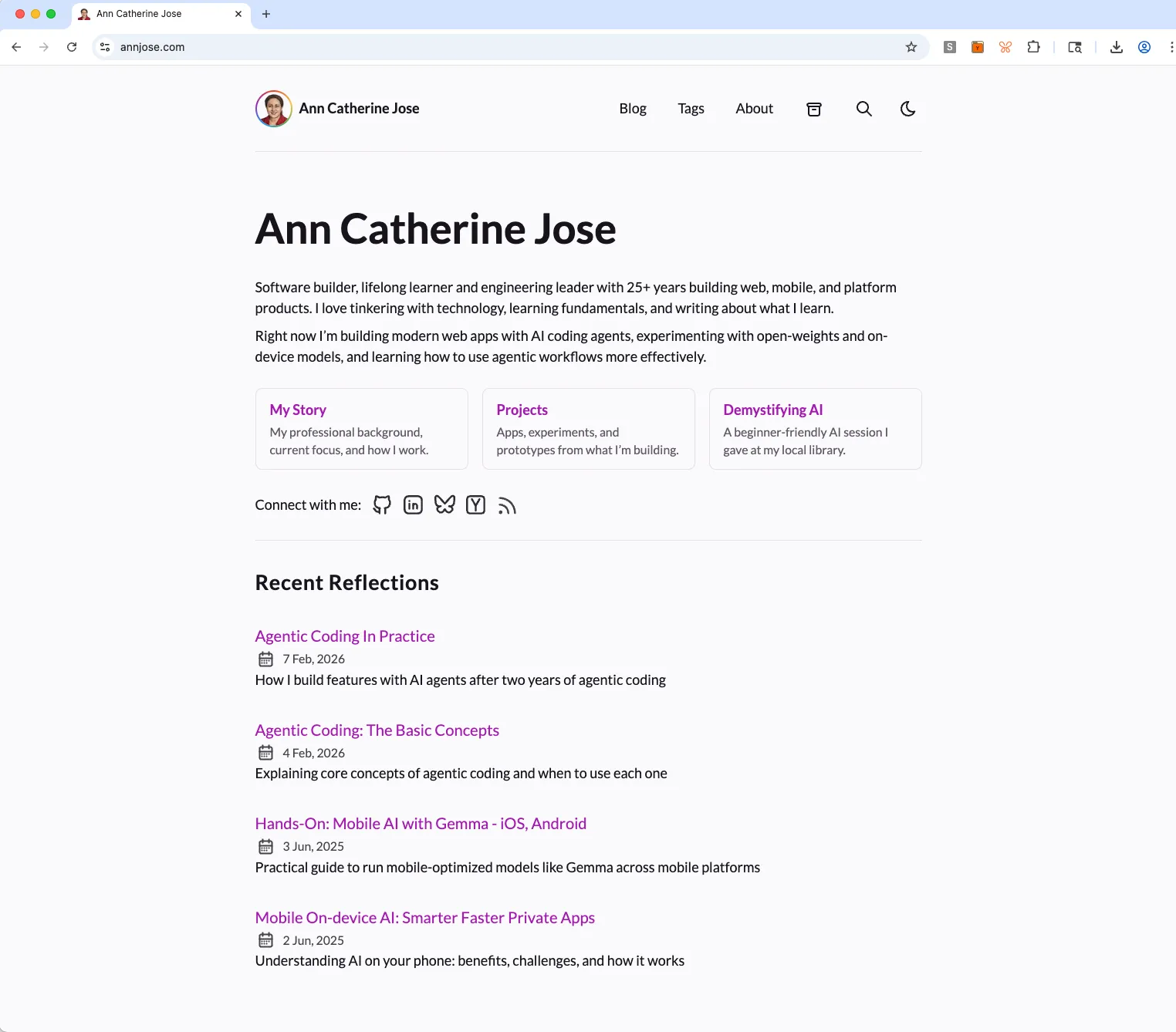
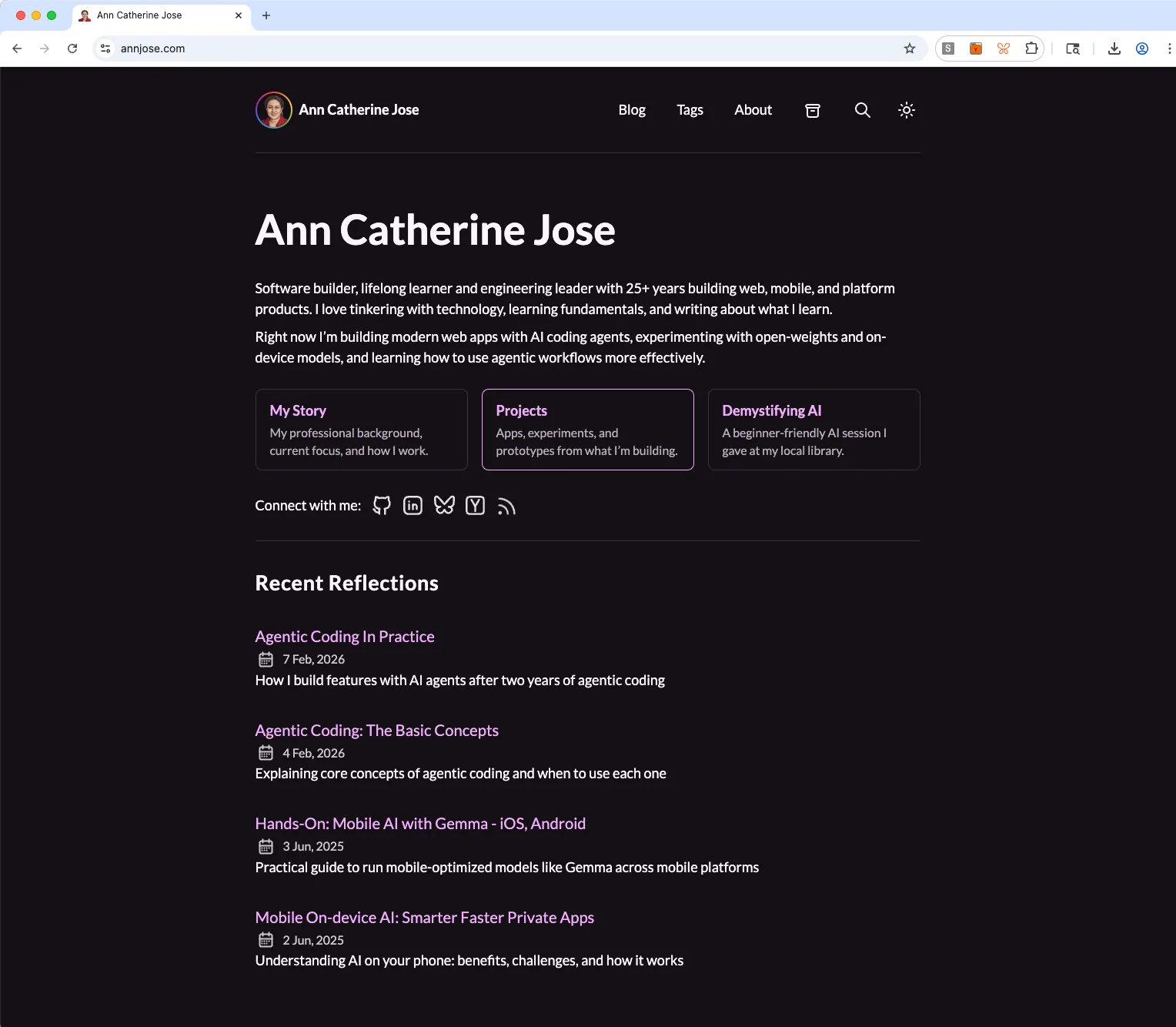
The old site did not have a home page, it was a blog-centric theme. The new version has a beautiful curated home page - a front door to show a short intro, latest writing and how to connect with me.
| New Home (Light) | New Home (Dark) |
|---|---|
 |  |
Blog Page - Before / After
About Page - Before / After
| Before (Hugo) | After (Astro) |
|---|---|
 | 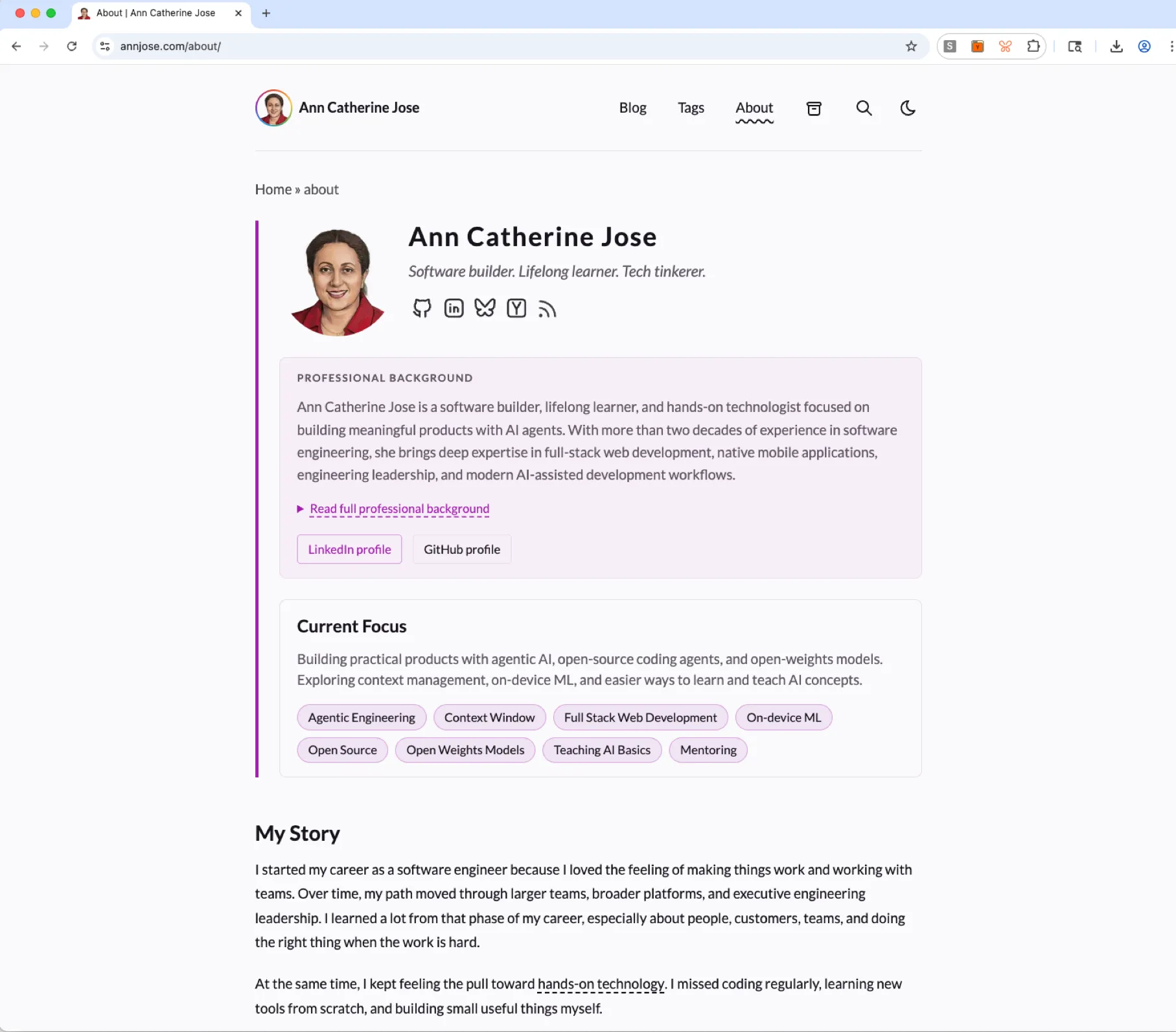 |
What’s new
| Tags Page (/tags) | Search Page (/search) |
|---|---|
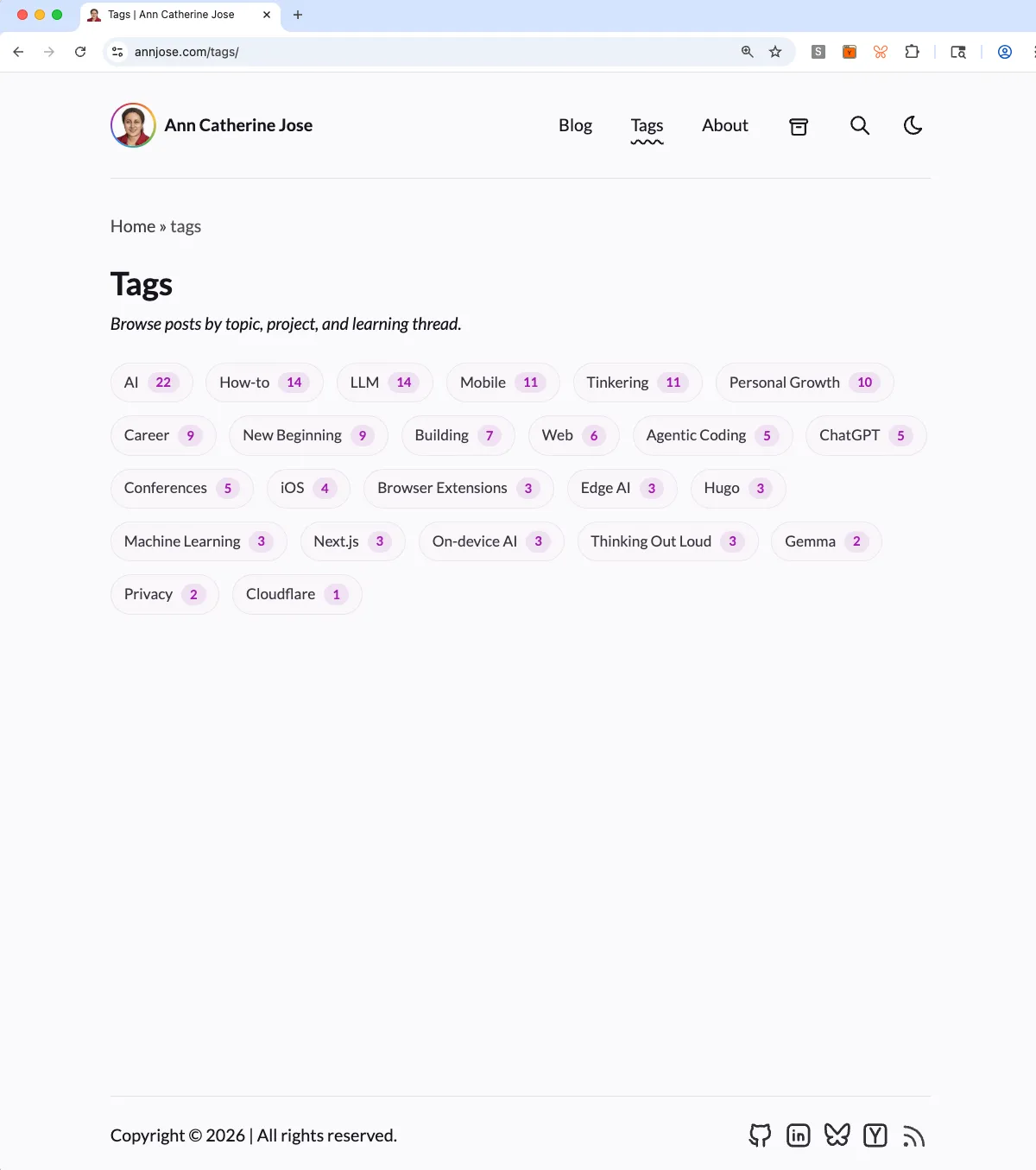 | 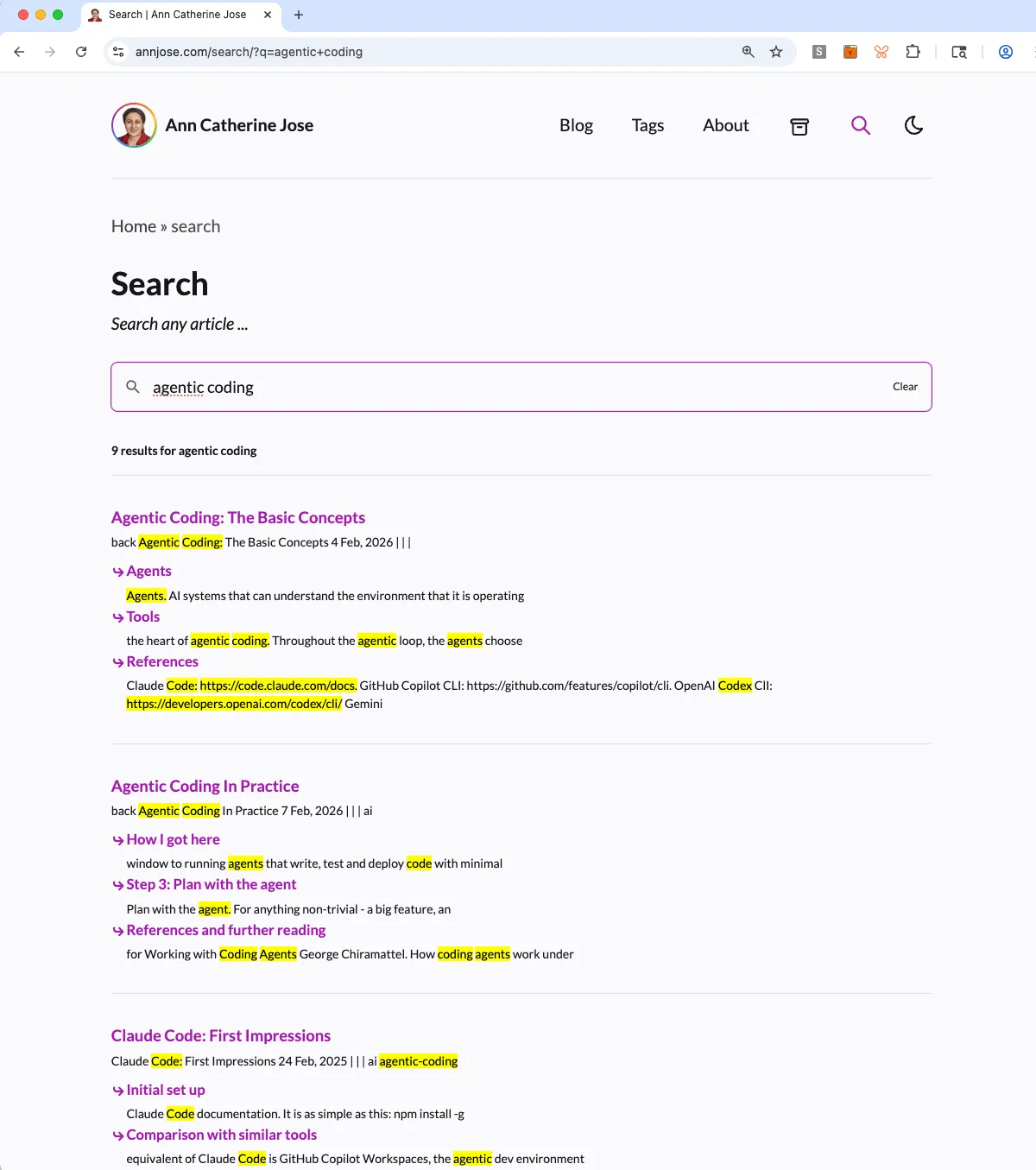 |
Dark mode
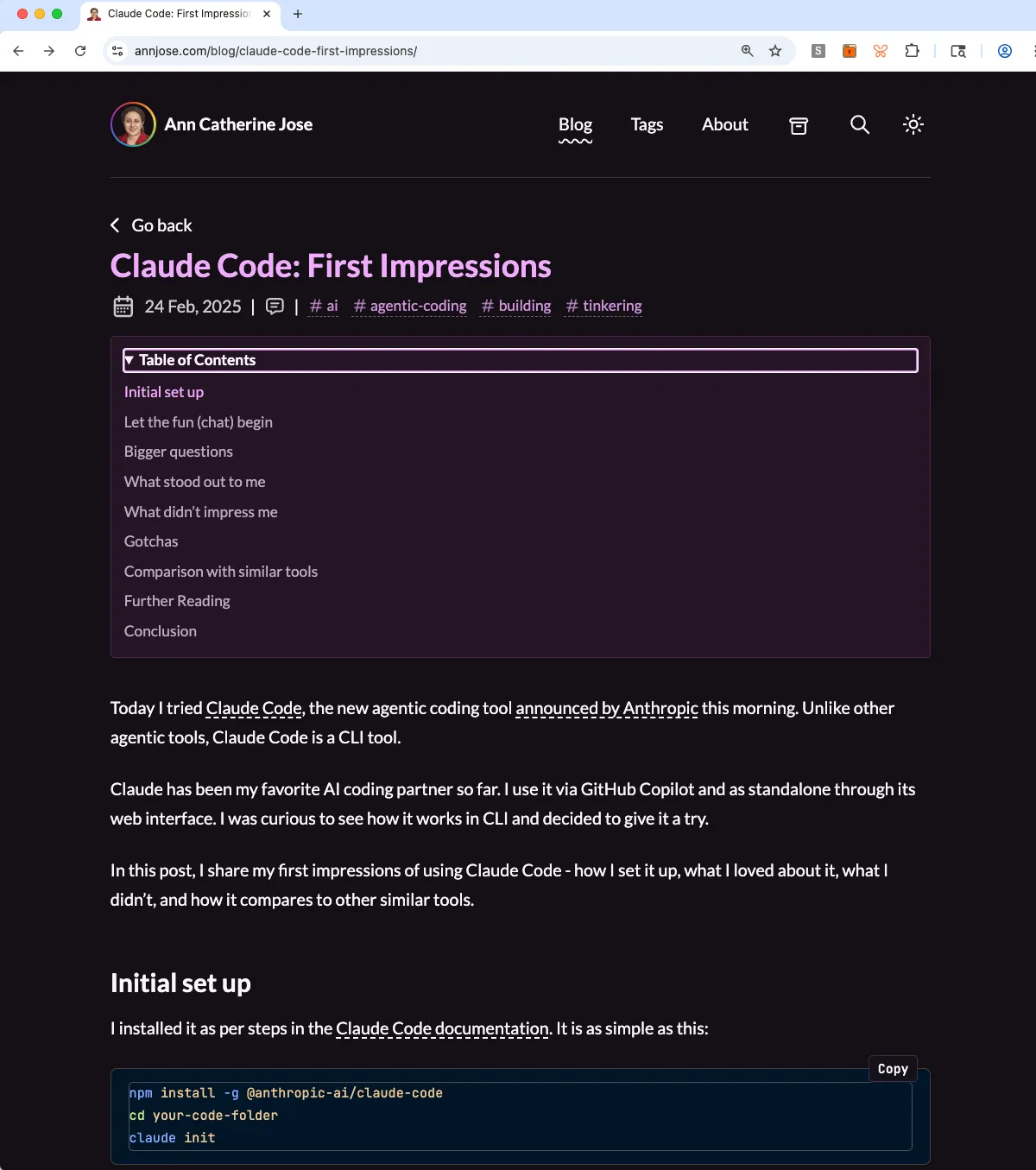
| About & Post | Archives & Tags |
|---|---|
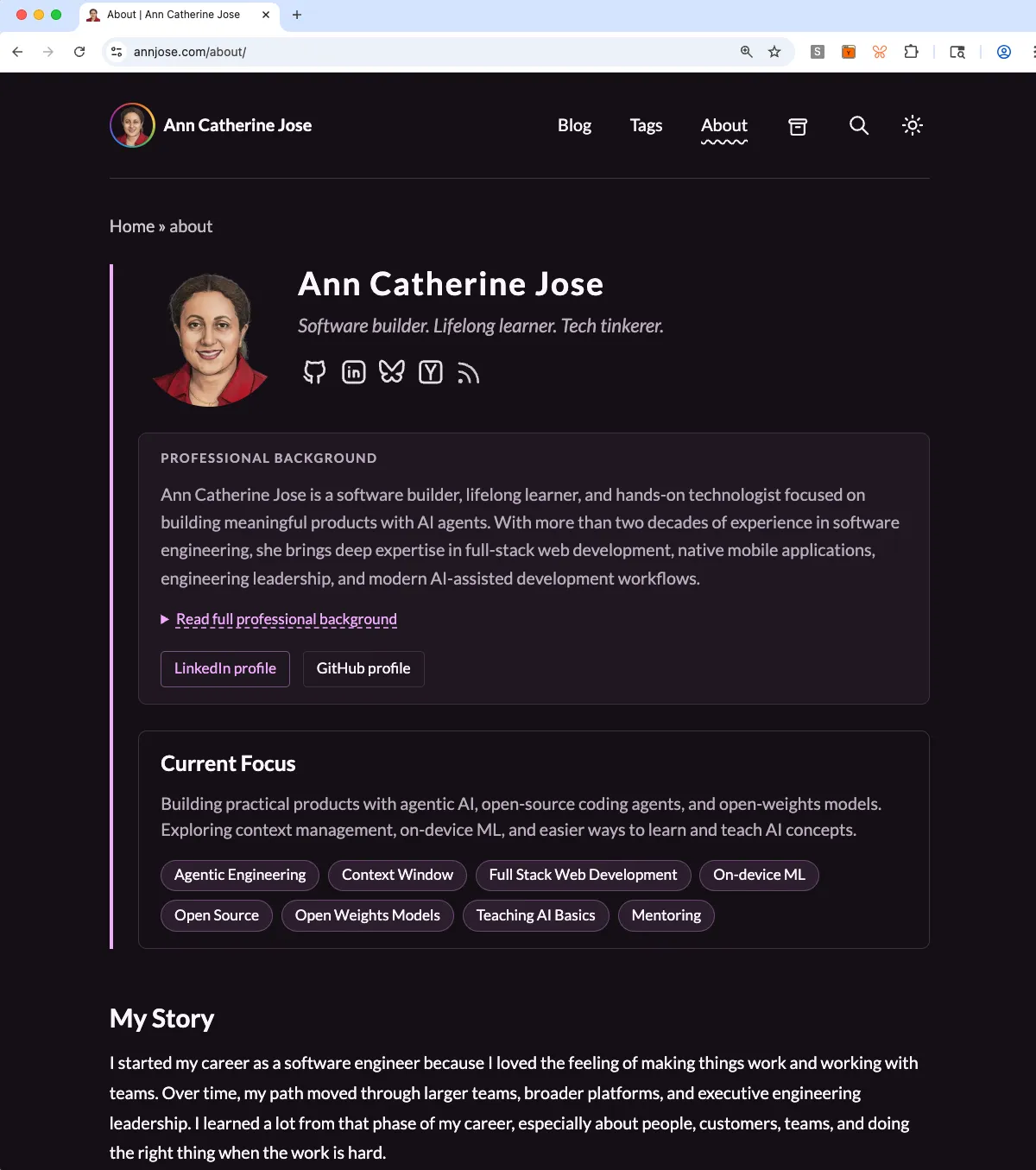 | 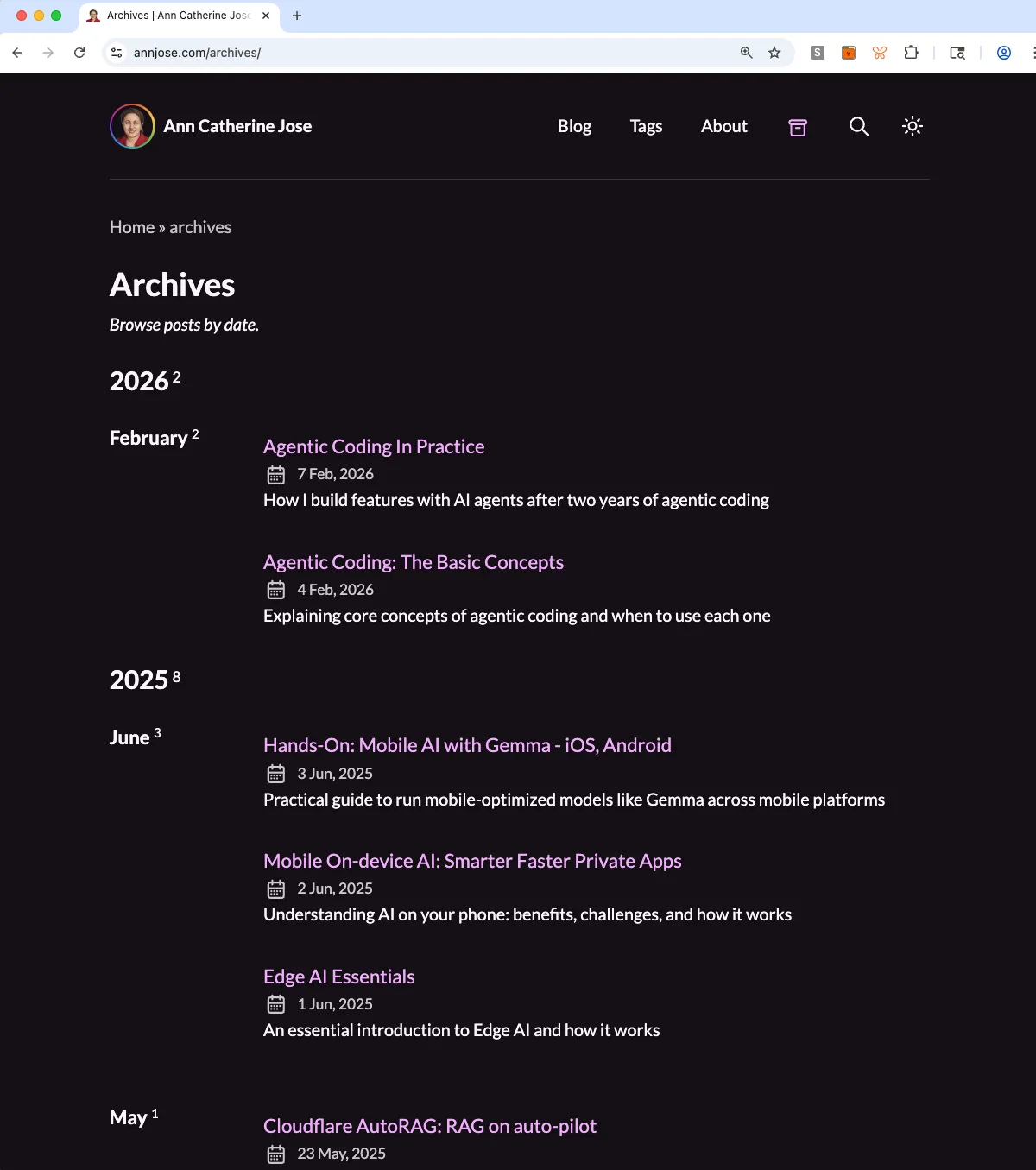 |
 | 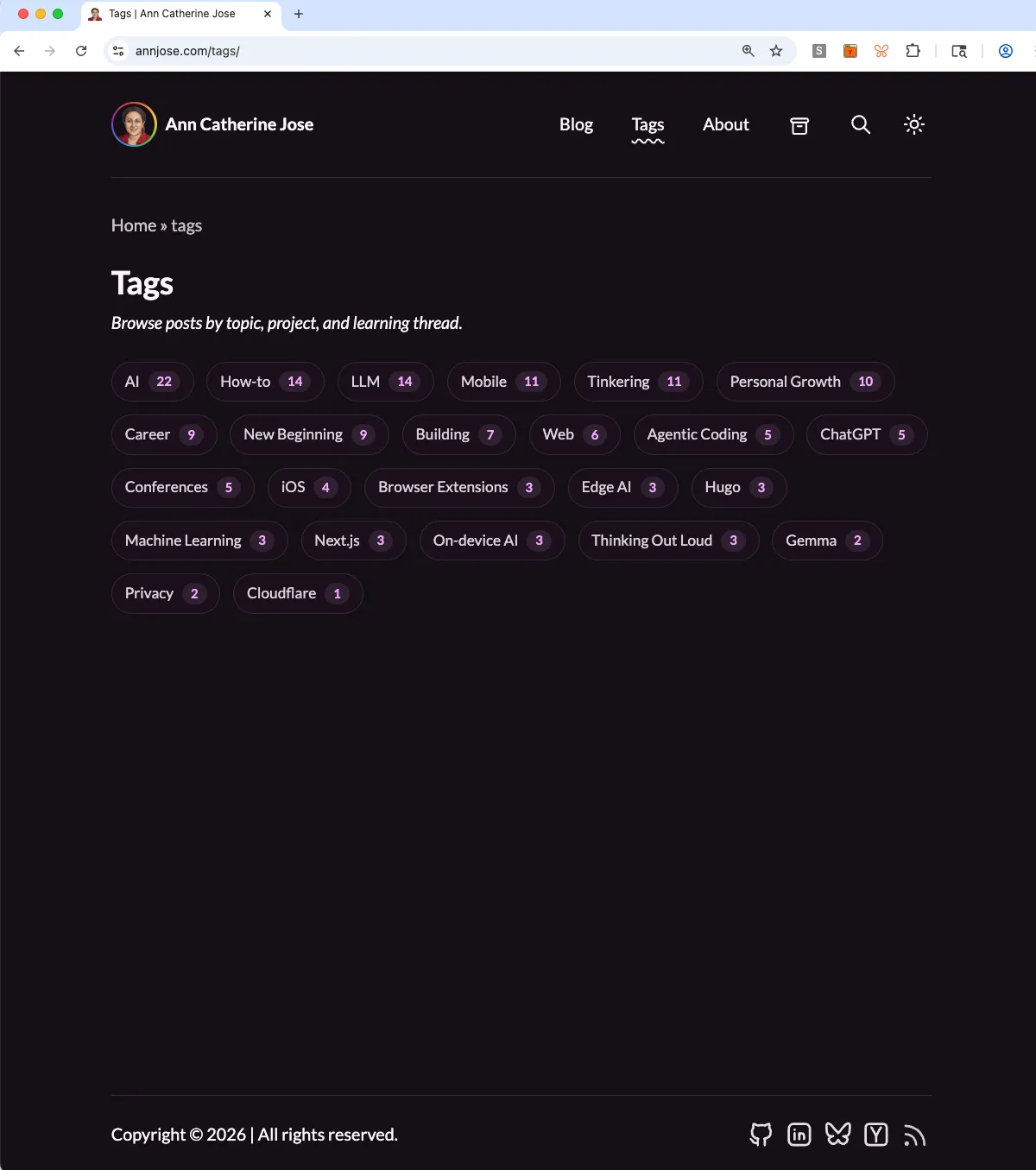 |
Lessons Learned
The biggest lesson:
AI agents are very fast, but the human still owns the hard parts - taste, judgment, context, tradeoffs, and noticing when something does not feel right.
I had heard this from many people, but this time I felt it for real in a long complex project. A few more things that worked for me:
- Ask “what am I missing?” when reviewing a plan
- Ask “what could go wrong?” before implementation starts
- Ask the agent to explain the expected behavior before fixing a visual bug
- Check what the template already provides before building new features
- Keep the spec and implementation plan separate and keep them in sync as you keep working
Context is everything. The quality of the outcome depends on the questions I ask, the context I provide, and the decisions I make along the way.
An Honest Take
I tried this project both with and without structured end-to-end agent workflows like Superpowers and BMAD Method. They can generate detailed specs, plans, and task lists, then execute against them. I found that such a structure is powerful, but it can also become rigid. I wrote more about it in my full log Two specs, one project.
For this project, the hands-on approach worked better. I needed room to pause, compare options, reject visual directions, question the plan, and change my mind. The final site is better because there was space for human correction between agent steps.
Final Thoughts
The full migration journal, with notes from each step, is at annjose.com/redesign/.
This was one of the most useful personal projects I have done in a while. It made the fundamental shift in how software is built feel real to me, compared to just six months ago - the famous November 2025 Inflection. It also helped me learn a lot and appreciate where the agents shine and where humans are absolutely needed.
Comments